Progressive overload planner · Earned Volume

Volume you have to earn.

Meso reads what you actually lifted and writes next week from it. Beat last week and a muscle gets another set; stall and it holds. Every rule comes from published research, and the papers are in the app.

  • First mesocycle free
  • iPhone
  • Works offline, no account
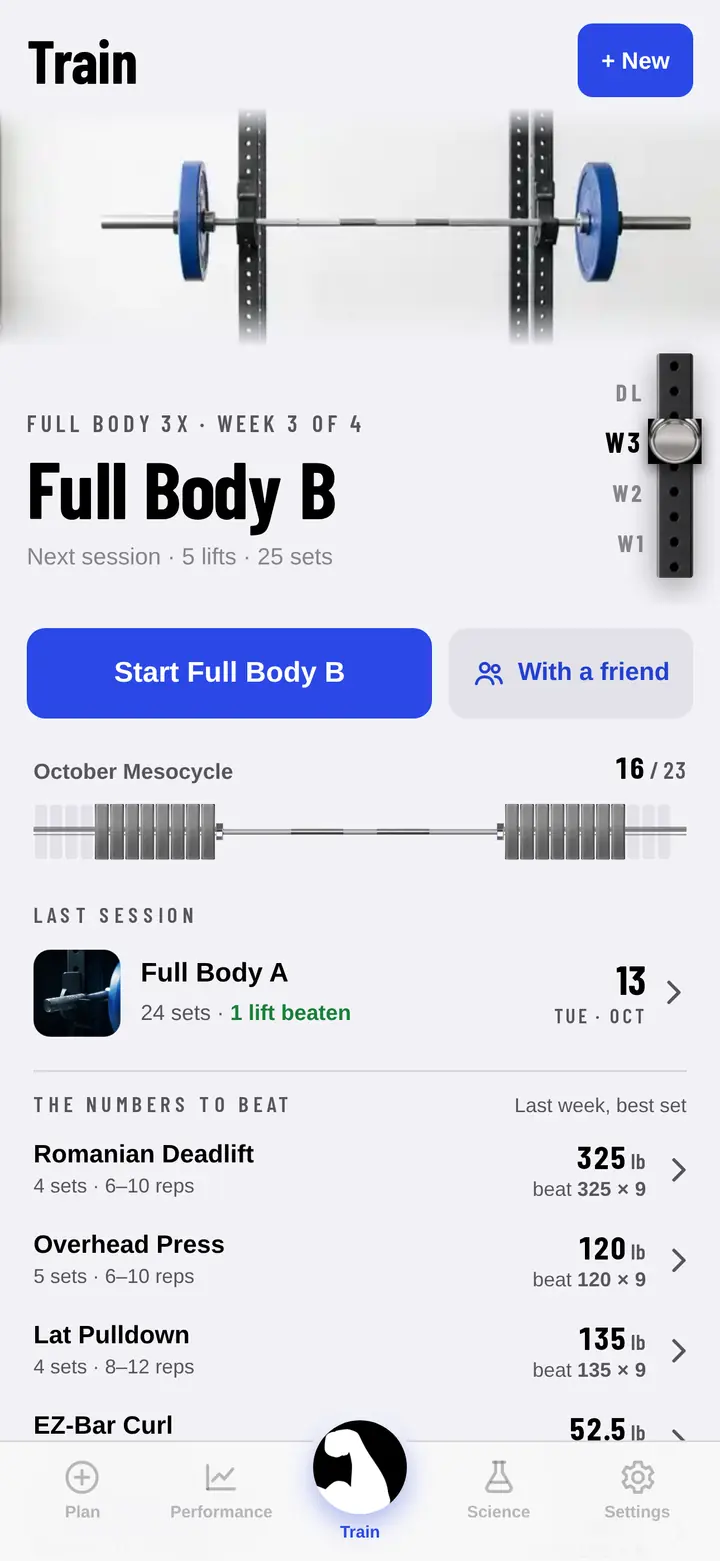
Meso's Train screen: today's session, a Start button beside With a friend, this month's challenge bar, last session one tap away, and the numbers to beat from last week.
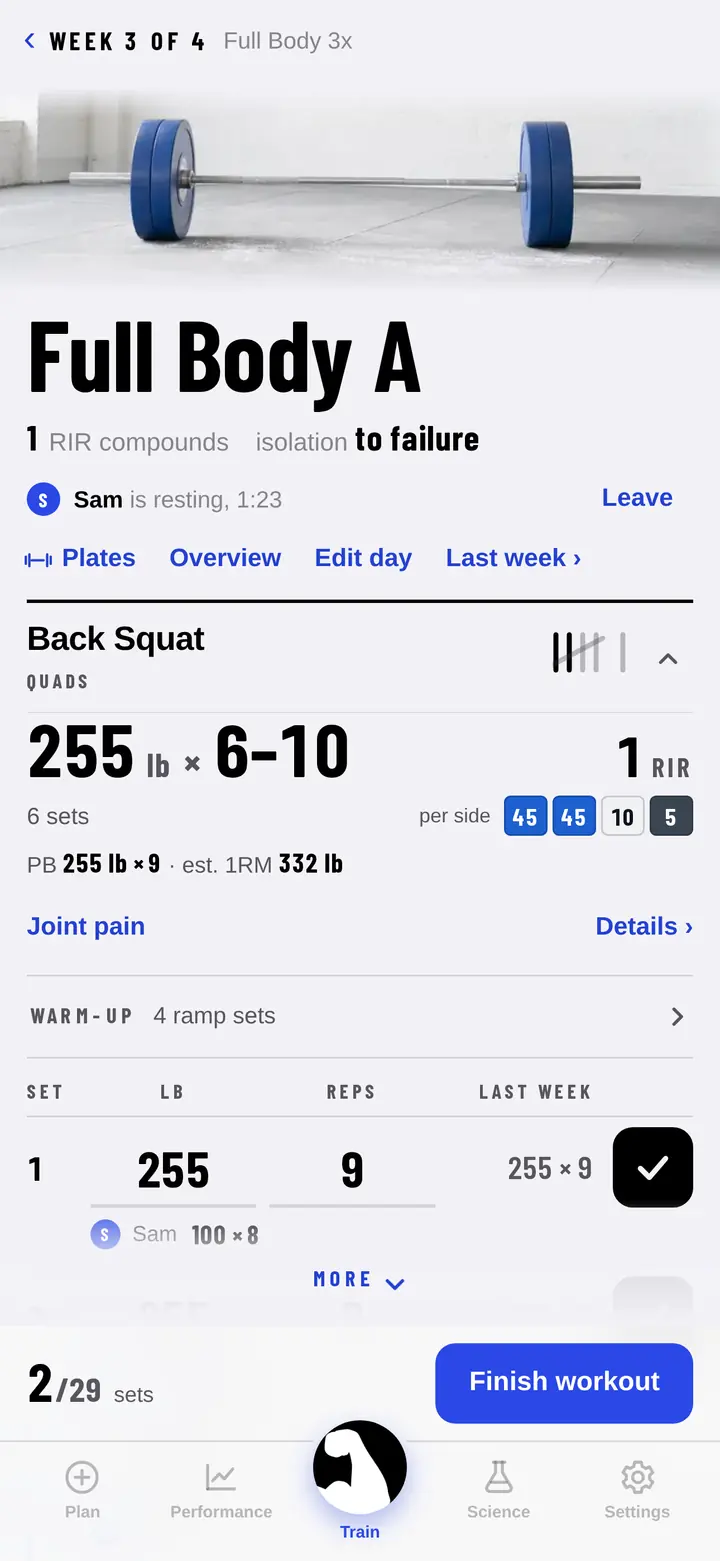
A Back Squat in the logbook-style logger: each set shows weight, reps and last week, with a training partner's set logged just underneath.

Train with a friend

Their sets under yours.

Share today's workout with a friend's phone nearby, then see each other's sets as you log them. It runs straight between the two phones in the room, without an account or a server, and nothing arrives on a phone until its owner taps Accept.

Lifts you both do count toward your own progress. Their extras are logged without changing your program. If you don't have a block of your own yet, you can join theirs as a one-off. If they don't have Meso, show them the QR code to get it.

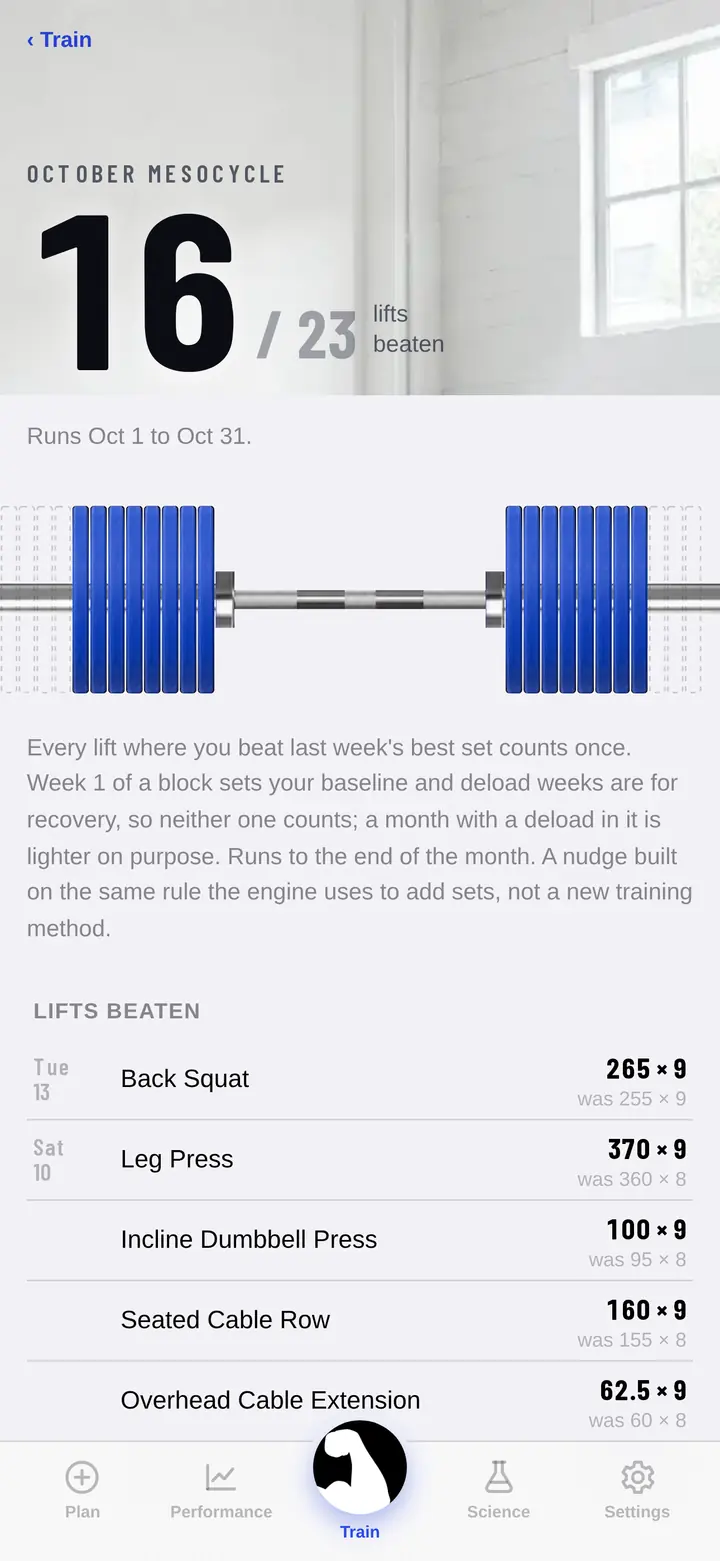
The monthly challenge: 16 of 23 lifts beaten, a barbell loading up with plates, and the list of lifts beaten this month.

Monthly challenges

Beat last week. Fill the bar.

Every lift where you beat last week's best set counts toward this month's target, sized to your plan, so the challenge rewards the same thing the engine does.

Special days like Halloween and Christmas Day are earned with one finished session. Every badge you earn lives on the Performance tab, and you can share a finished block or a new PB as an image.

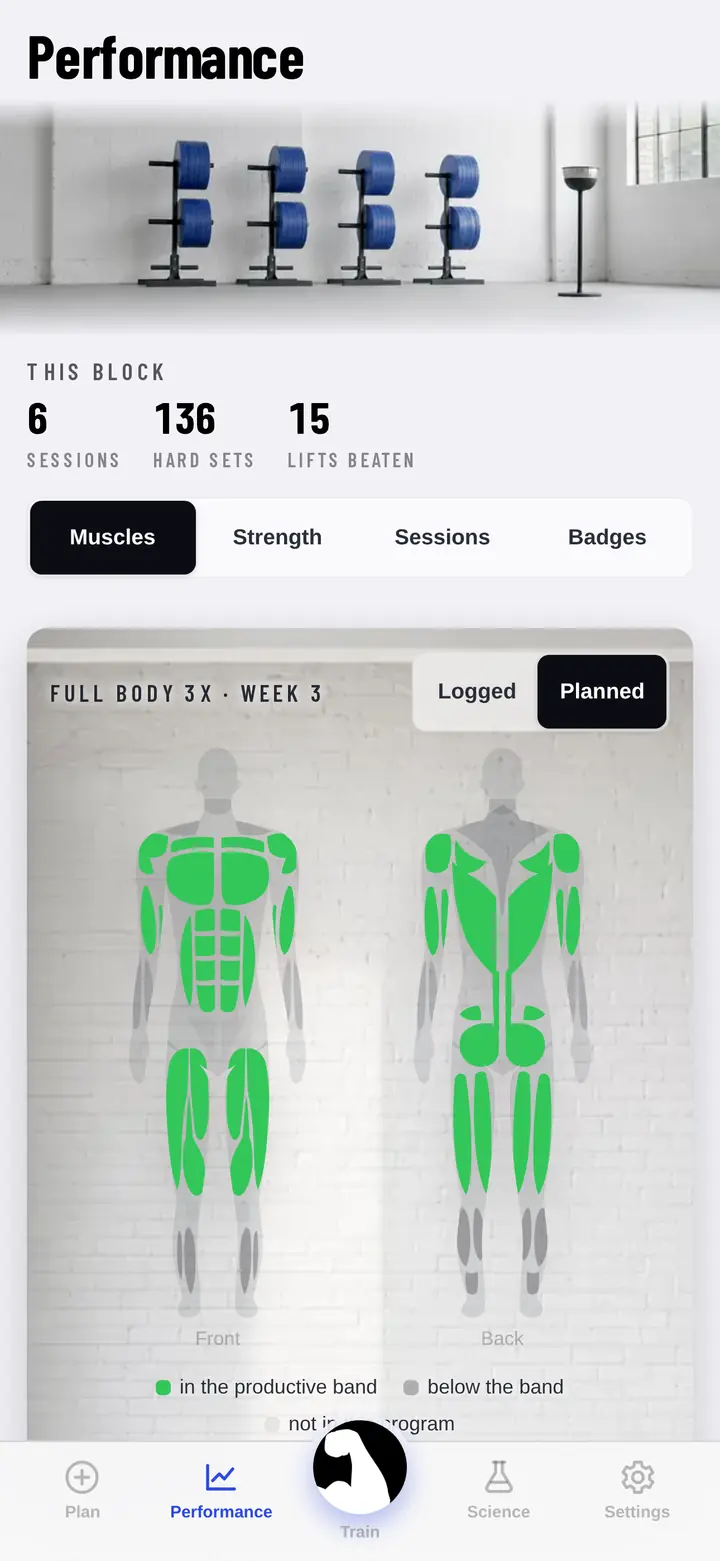
The Performance tab's body map, with each muscle coloured green where this week's planned sets land inside its evidence-based volume band.

Coverage

See exactly where the work is going

Every muscle is measured against the weekly volume the research supports, so an under-worked muscle is obvious at a glance rather than a surprise eight weeks later. Tap one and the app explains why it is the colour it is and what would change it.

New in Meso 1.4

Fifteen new programs, and a timer you can always see

15 advanced gym programs

Upper / Lower 6x, Antagonist Pairs 5x, Full Body 5x: High Frequency, Golden-Era Split 5x, three classic bodybuilding splits, and five-day splits built around the stretch or run on machines and cables.

The screen stays on while you rest

The countdown is there when you look up. Rather it locked? Turn off Keep screen on while resting in Settings.

Check a lift before you start

Tap any lift on Train to see what it is, then swap it or take it out.

A friend turned up late

With a friend is on the workout screen now too, until you log your first set.

From 1.3: the rest countdown on the Lock Screen and in the Dynamic Island, a private copy of your training in your own iCloud, and Apple Health if you turn it on.

At the bar

What you see between sets

Reads like a training log

Each row shows last week's numbers and the plates to load, warm-up ramps are worked out for you, and a PB gets a gold mark.

The numbers to beat

Train opens on today's workout and what you need to beat from last week. Your last session is one tap away.

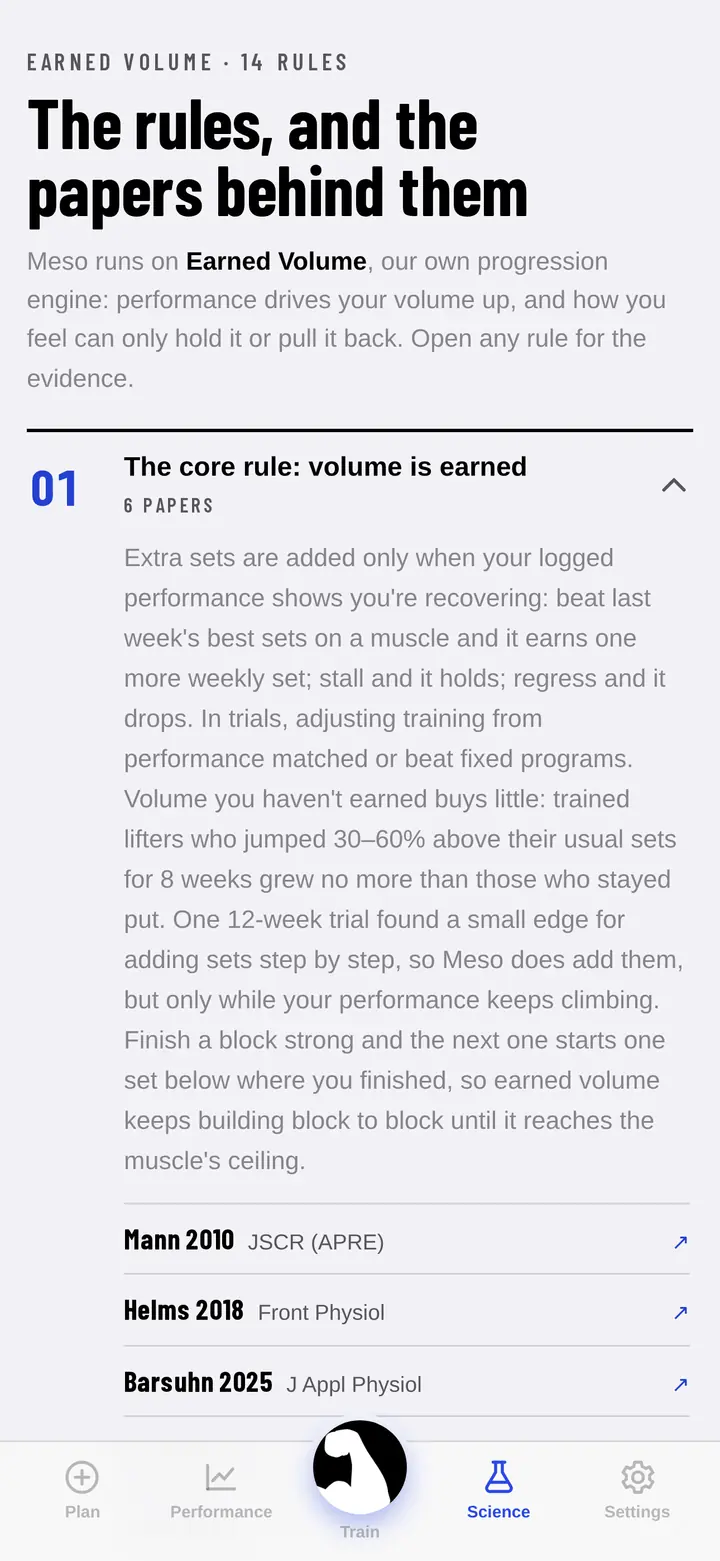
The Science tab: the rules and the papers behind them, starting with the core rule that volume is earned.

Evidence

Every rule cited. Check our work.

Plenty of apps call themselves science-based. Meso shows the papers. Each rule the engine follows is written in plain language with its citations, in the app, so you can read them mid-session if you want to. Where a rule is coaching convention rather than evidence, it says so.

How it decides

Five rules at the core, and the research behind them

  1. Performance is the acceleratorBeat last week's best sets on a muscle and it earns one more weekly set. Stall and it holds. Regress and it drops.Mann 2010 · Helms 2018 · Enes 2024
  2. Soreness and pain are only brakesSoreness tracks damage and novelty, not growth, so it can hold volume back or cut it, but it never earns more. A lift you mark Painful holds its weight instead of climbing.Damas 2016 · Damas 2018
  3. Reps first, then loadClimb the rep window, then add roughly 2.5 to 5 percent. Go heavier than asked and hold it across every set, and that becomes your working weight.Plotkin 2022
  4. Failure is rationedSets ramp from three reps in reserve down to one. Only isolation work touches failure, only in the last hard week, and never on a lift you can't bail out of.Robinson 2024 · Refalo 2023 · Zourdos 2016
  5. Deloads come early when the data says soTwo weeks of regression across several muscles pulls the deload forward, because a sustained performance drop is the validated overreaching signal.Bell 2023 · Meeusen 2013
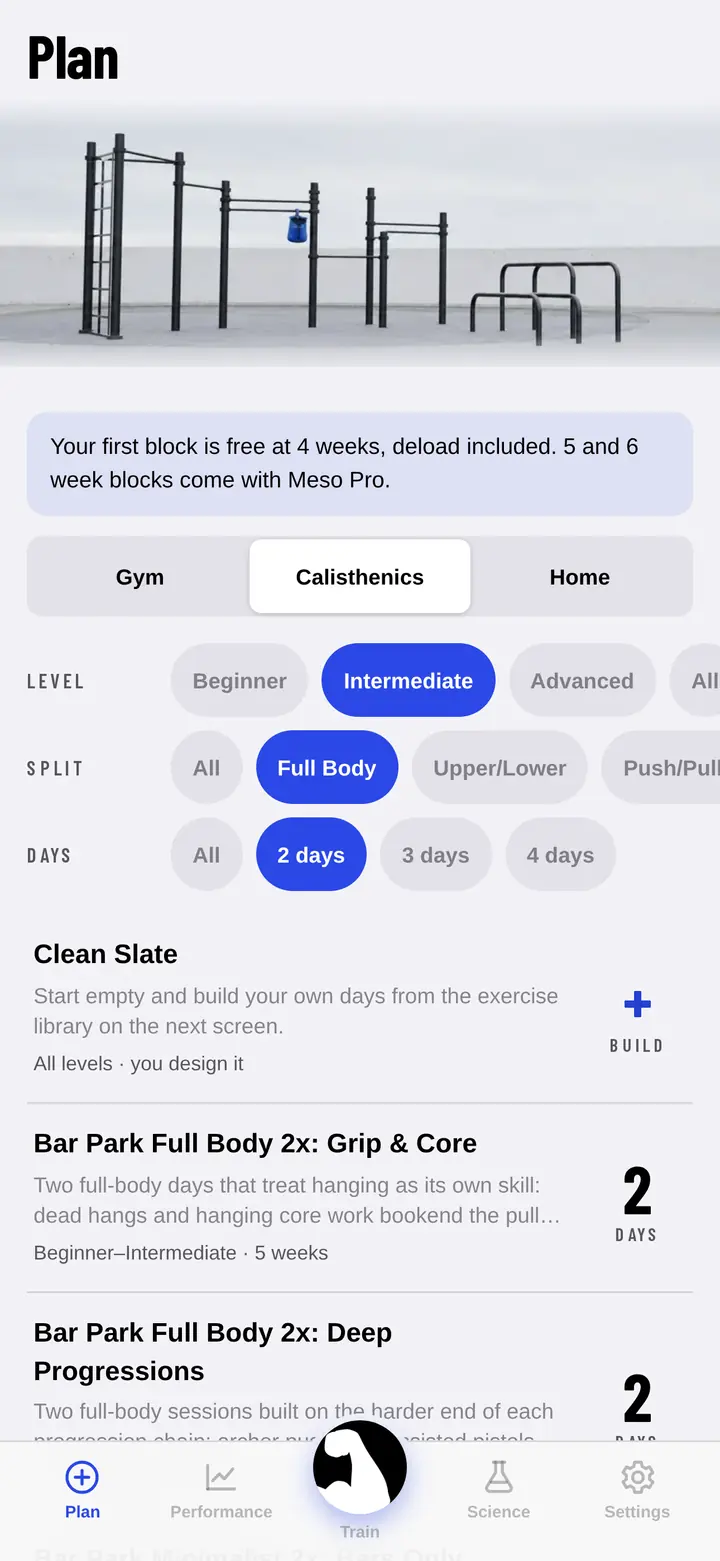
The Plan tab filtered to calisthenics: bar park programs by level, split and days per week.

The library

300+Exercises
100+Programs

Gym, home, or a bar in a park

Every exercise has a coaching cue and easy swaps. Flag a sore joint, even mid-block, and Meso offers swaps that go easier on it, tells you when to see a clinician, and never progresses you into a movement that loads it.

Gym

Barbells, dumbbells, machines and cables, with plate maths and warm-up ramps built in.

Home

No equipment beyond a floor, a wall and a sturdy chair, progressed by the same engine as the gym programs.

Bar park

Calisthenics progressions that advance the movement when you top the rep window. Log vest weight and it switches to load progression.

Private by design

Your training stays on your phone

There's no account to make and no Meso server holding your training. Meso works offline, keeps a private copy in your own iCloud that we never see, and you can export a backup file any time. A workout goes to a friend's phone only when you choose to share it.

Read the privacy policy

MESO PRO

Your first mesocycle is free

Run your first block free. If Meso earns its keep, Meso Pro unlocks longer programs and continued training, as a monthly or annual plan or a one-time lifetime purchase. The app shows the price in your local currency before you buy, and you can manage your subscription from Settings.

Billing questions